PikoeSIM




Excellent


Algeria eSIM
Plans from€0.25
100 MB 7 days
 Algiers, Algeria

- 4G/LTE data
- One prepaid price
- Check compatibility first
- Hotspot included
Choose your plan
Data for 7 days
Data for 15 days
Data for 30 days
Tech specs
| Specification | Details |
|---|---|
| Country coverage | Algeria only. Neighbouring countries and any connections made in transit are not included. |
| Local networks | Mobilis Algeria, Djezzy Algeria |
| Network technology | Connects to 4G/LTE where available. 5G is not confirmed on this plan. |
| Data & validity | Fixed allowances with the data and days shown on each plan, plus hotspot sharing, are the core features. None of these options is unlimited. |
| Calls & SMS | Data only. There is no local phone number, no standard voice calls and no SMS; use messaging and calling apps over data instead. |
| Hotspot | The listed networks support hotspot. Any device you connect draws from the same data allowance. |
| Your phone | You need an eSIM-compatible, network-unlocked phone. Confirm support for your exact model and regional variant on iOS (iPhone) or Android before you buy. |
How it works
Pick a plan, add the eSIM to your phone, then connect once you're in Algeria.
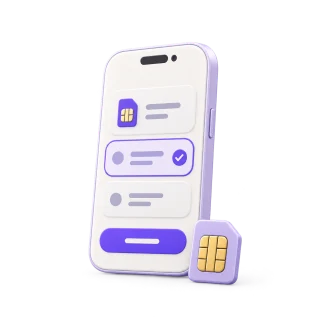 01
01Choose your plan
Choose data and validity that cover your trip. Save the setup instructions for offline access.
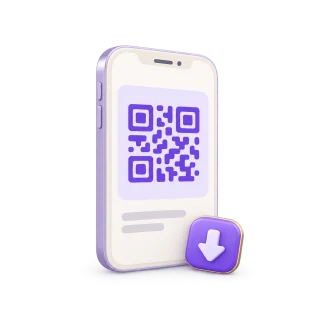 02
02Install before you fly
Install over Wi-Fi using your plan's instructions. Check when the plan's validity starts.
 03
03Connect in Algeria
On arrival, turn on the eSIM and select it for mobile data. Keep data roaming off on your regular SIM.
Compare ways to get online in Algeria
Use prepaid data on the phone you already carry. This is how PikoeSIM compares with a rental router, home-carrier roaming and a physical SIM.
Swipe or scroll to compare all four options
| What matters | PikoeSIMTravel eSIM | Pocket Wi-FiRental router | RoamingYour home carrier | Local SIMPhysical SIM card |
|---|---|---|---|---|
| Getting connected | Download the eSIM to your phone, then follow the activation steps that come with your plan. | Book delivery or collect a rental router from the provider. | Turn on roaming and confirm your destination is covered by your home plan. | Buy a SIM card and insert it into a compatible SIM slot on your phone. |
| Extra equipment | None. You use the eSIM-compatible phone you already have. | A separate device to carry, charge and keep within range. | None. You keep using your existing phone and SIM. | A physical SIM card. You might need to remove your usual SIM to fit it. |
| Data & cost | From €0.25 for 100 MB / 7 days. You pick a fixed allowance when you order. | Rental fees and data terms vary by provider. Check delivery, loss and damage fees before booking. | Your carrier's rates apply. Some home plans already include roaming at your destination. | Prepaid prices, data allowances and validity periods differ between local operators. |
| Sharing your data | The listed networks support hotspot. Any device you connect draws from the same data allowance. | Connect phones and other devices to the router. They all need to stay inside its Wi-Fi range. | Tethering depends on your carrier and your roaming plan. | Check that the local plan allows tethering before you rely on it. |
| Calls & SMS | Data only. Make calls and send messages through internet apps. | Internet only. Regular calls and SMS still use your phone's mobile plan. | Calls and SMS are billed under your carrier's roaming terms. | A local number, calls and SMS depend on the specific plan you buy. |
| After your trip | There's nothing to send back when your trip ends. | Return the router and accessories on time. Late or missing returns can trigger extra fees. | No hardware to return afterwards. | You don't need to return any rental device. |
Frequently asked questions.
Answers to common setup and buying questions.
How should I choose my Algeria eSIM data plan?
Match the days and the data to your trip. A small 7-day allowance suits a brief arrival connection, while 3 GB for 15 days at €2.16 leaves more room for maps and messages. Take 10 GB for 30 days at €6.77 if you expect heavier use over a longer stay, and check the larger plans if you plan frequent uploads or a data hotspot. None of these is advertised as the cheapest or best value outright; treat the recommendations as a starting point and pick by the data you actually expect to use.
Which mobile networks does the Algeria eSIM use?
The plan lists Djezzy Algeria with 4G/LTE. Mobilis Algeria also appears, though its LTE and 5G support is not confirmed in this information, and 5G is not listed for either operator. That means coverage and speed vary with buildings, terrain and your handset, so don't assume one operator gives best coverage everywhere or that service holds through gorges, rural roads and desert stretches. Listed networks: Mobilis Algeria, Djezzy Algeria. Connects to 4G/LTE where available. 5G is not confirmed on this plan. Speeds and signal vary with your phone, location and network conditions.
Can I make calls, send SMS, or keep my usual number?
These are data-only plans, so you won't get a local phone number or ordinary calls and texts. Messaging apps can still run on the data connection. If your phone supports the right dual-SIM setup, your home SIM can stay active for its number, but your home provider's charges still apply. Turn off automatic mobile-data switching and home-SIM data roaming to avoid accidental data use.
What steps should I follow to check my phone and install the eSIM?
Check eSIM support for your exact model and regional variant, and confirm the phone is network unlocked. Install over a reliable Wi-Fi connection using the supplied instructions, whether that means scanning a QR code or entering details manually. Don't treat 'instant installation' as a promise; the profile still needs a stable connection and a compatible phone. Read the activation and validity instructions before you start; installation and the start of a plan's validity are not necessarily the same step. For iPhone, see Apple's eSIM setup guide (opens in a new tab).
Can I share the eSIM data connection with a laptop?
The listed networks support hotspot. Any device you connect draws from the same data allowance. Background updates and cloud backups on a connected laptop can drain a small allowance fast. Pause them before you share and watch usage on your devices.
Will the eSIM work outside Algeria or on remote routes?
Algeria is the only included country. Don't assume service in a neighbouring destination or during a connection elsewhere. Within the country, buildings, terrain and network conditions all affect reception. Download maps and confirm transport arrangements before you leave a reliable connection.
What should I check when my mobile data won't connect?
Confirm the travel eSIM is enabled and selected for mobile data, then follow its instructions for roaming and any APN settings. Check that the plan still has data and validity left. Try toggling airplane mode on and off, or restart the phone. Keep the installed profile and note your order details and the exact error before contacting the support address supplied with the order.
Will a larger data allowance extend my trip or renew on its own?
Data size and validity are separate. Each offer has a fixed allowance and a stated number of days, so choose both for your itinerary. A 30-day plan lasts thirty days, not one month of billing, and it is not a rolling monthly subscription; 'no contract' is something to verify in the purchase terms rather than assume. Don't assume an exhausted or expired plan renews automatically. Before you top up, check what is available and read its expiry terms.
Using your eSIM in Algeria
An Algeria eSIM for the trip you have planned
Once you land, a tourist with data can confirm an Algiers airport connection, send a meeting point in the Casbah or pull up the next hotel booking before heading east. Install the virtual sim card on a compatible, unlocked phone and keep your usual messaging apps, including WhatsApp, so friends and family can reach you over the internet, whether it's a short holiday or a longer vacation.
The 100 MB and 500 MB options run for 7 days and suit light essential use; 100 MB can disappear within 1 day of streaming, so treat it as a buffer that might only cover one day of light maps and messages. For a trip of about 2 weeks (14 days), 3 GB for 15 days at €2.16 covers the stay, while 10 GB for 30 days at €6.77 suits a longer or heavier visit. There is no single best price or most affordable pick among these prepaid data plans; pricing per gigabyte shifts between offers, so compare the total EUR against what you'll actually use. Video calls, YouTube, uploads and laptop tethering all need extra headroom. Every plan is a fixed total allowance for its stated days, not a daily top-up.
Plan your route and save essential parts for offline use.
On the ground, Djezzy Algeria carries 4G/LTE, while Mobilis Algeria appears in the list but LTE and 5G support there is not confirmed in this information. No 5G is listed for either network. The quality and speed you actually get depend on your phone, where you are and local load, so keep offline maps ready for gorges, long rural stretches and desert roads.

kept ready on your phone.Algiers, Algeria
Algiers: airport, station, and onward to your address.
Check current transport options from Houari Boumediene Airport to central Algiers for your actual travel date. Rail and road services change, so an old timetable screenshot is not a reliable plan for the direction you need.
Keep your accommodation address and its nearest landmark written down next to the station name. After you land, send the person meeting you an exact exit or agreed pickup point instead of just saying you are at the airport.
Save your journey details before you leave Wi-Fi. Mobile data can reload a transport operator's page, but a listed service does not mean an online reservation is available for it.
Save before you goYour up-to-date departure details, the address where you're staying and the pickup point you agreed.
The Casbah: arrange a meeting point.
The Casbah is a lived-in historic district, not a museum. Plan a walking route with your host or guide and fix a clear meeting point at the start, especially if your group splits up.
Save the meeting pin and a written address before you enter the lanes. A map helps with orientation, but confirm the practical walking approach with someone who knows the area rather than trusting every mapped line.
Ask before photographing residents or private interiors. Keep your guide's contact and return arrangements saved offline so you can put the phone away while you visit.
Save before you goThe meeting point you fixed, your guide's contact and how you'll get back.
Constantine: your route may cross a bridge.
The Rhumel Gorge splits Constantine's neighbourhoods, and its bridges connect different parts of the city. Check the real walking route to your hotel or meeting point; a short distance on the map can hide a much harder approach on the ground.
Pin the correct side of your destination before you arrange a pickup. Keep a downloaded map and the name of the bridge or nearby landmark in the same note as your accommodation address.
Stop somewhere clear of traffic and exposed edges before checking directions or taking photos. For the next intercity leg, fetch departure details before you leave your hotel and keep them available without a connection.
Save before you goYour crossing route, hotel entrance and the next leg's departure details.
Choose your Algeria plan
Compare data amounts and durations to find the plan that fits your trip.
 Choose a plan