PikoeSIM




Excellent


Zambia eSIM
Plans from€3.39
1 GB 7 days
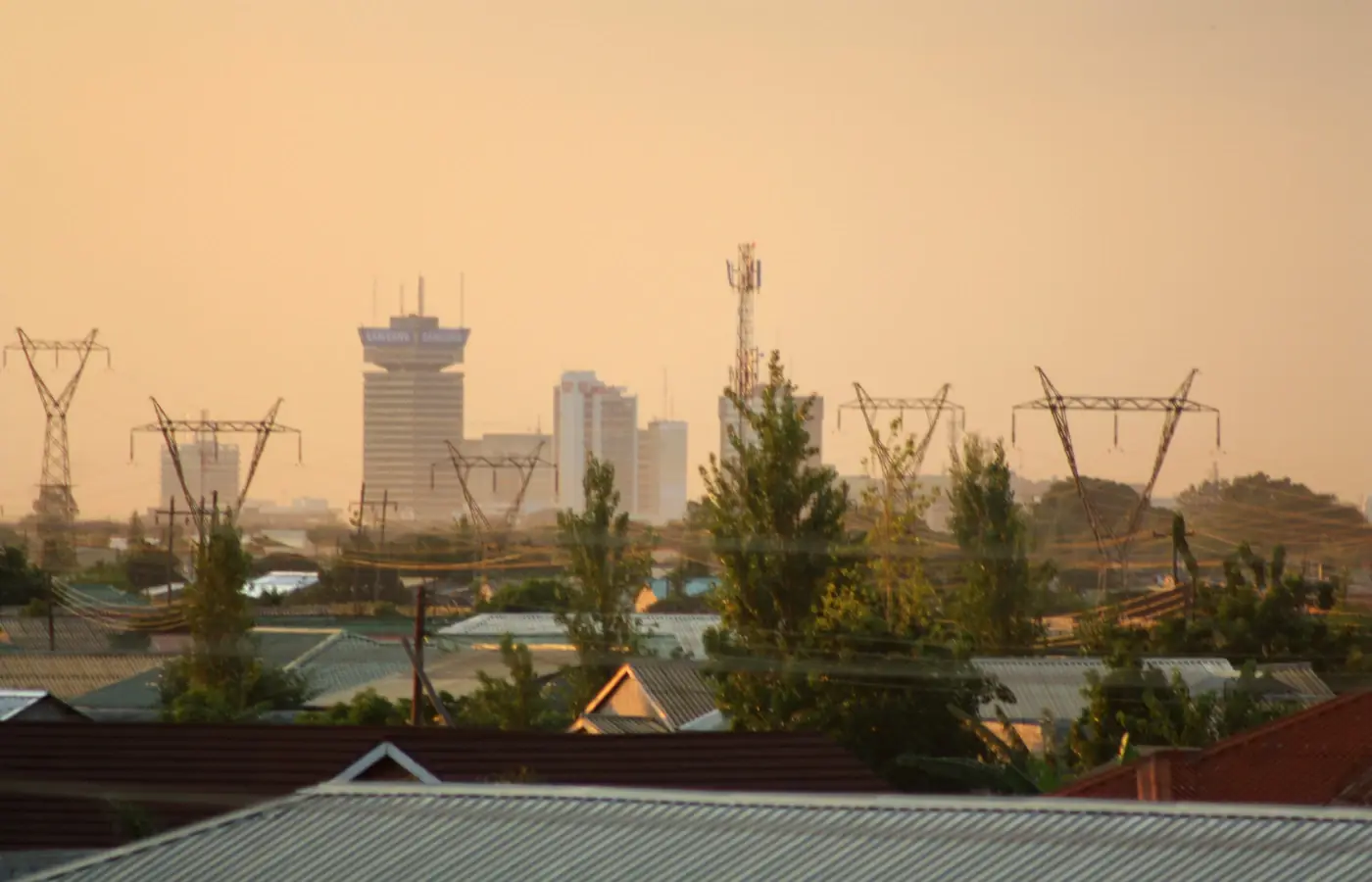 Lusaka, Zambia

- 4G/5G data
- One prepaid price
- Check compatibility first
- Hotspot included
Choose your plan
Data for 7 days
Data for 30 days
Tech specs
| Specification | Details |
|---|---|
| Country coverage | Coverage is Zambia only. Zimbabwe, Botswana and Malawi are not included, even for a quick border crossing. |
| Local networks | Airtel/Zain/Celtel Zambia |
| Network technology | Connects to 4G/5G where the network offers it. |
| Data & validity | 1 GB for 7 days, or 3 GB, 5 GB, 10 GB and 20 GB for 30 days. Each is a fixed total allowance, with no daily reset and no monthly subscription. |
| Calls & SMS | Data only: no local phone number, ordinary calls or SMS. Use internet-based messaging and calling apps instead. |
| Hotspot | The listed networks support hotspot. Any device you connect draws from the same data allowance. |
| Your phone | Only compatible phones with eSIM support and a network-unlocked status will work. Check the exact model and its regional variant, not just the brand. |
How it works
Pick a plan, add the eSIM to your phone, then connect once you're in Zambia.
 01
01Choose your plan
Choose data and validity that cover your trip. Save the setup instructions for offline access.
 02
02Install before you fly
Install over Wi-Fi using your plan's instructions. Check when the plan's validity starts.
 03
03Connect in Zambia
On arrival, turn on the eSIM and select it for mobile data. Keep data roaming off on your regular SIM.
Compare ways to get online in Zambia
Use prepaid data on the phone you already carry. This is how PikoeSIM compares with a rental router, home-carrier roaming and a physical SIM.
Swipe or scroll to compare all four options
| What matters | PikoeSIMTravel eSIM | Pocket Wi-FiRental router | RoamingYour home carrier | Local SIMPhysical SIM card |
|---|---|---|---|---|
| Getting connected | Download the eSIM to your phone, then follow the activation steps that come with your plan. | Book delivery or collect a rental router from the provider. | Turn on roaming and confirm your destination is covered by your home plan. | Buy a SIM card and insert it into a compatible SIM slot on your phone. |
| Extra equipment | None. You use the eSIM-compatible phone you already have. | A separate device to carry, charge and keep within range. | None. You keep using your existing phone and SIM. | A physical SIM card. You might need to remove your usual SIM to fit it. |
| Data & cost | From €3.39 for 1 GB / 7 days. You pick a fixed allowance when you order. | Rental fees and data terms vary by provider. Check delivery, loss and damage fees before booking. | Your carrier's rates apply. Some home plans already include roaming at your destination. | Prepaid prices, data allowances and validity periods differ between local operators. |
| Sharing your data | The listed networks support hotspot. Any device you connect draws from the same data allowance. | Connect phones and other devices to the router. They all need to stay inside its Wi-Fi range. | Tethering depends on your carrier and your roaming plan. | Check that the local plan allows tethering before you rely on it. |
| Calls & SMS | Data only. Make calls and send messages through internet apps. | Internet only. Regular calls and SMS still use your phone's mobile plan. | Calls and SMS are billed under your carrier's roaming terms. | A local number, calls and SMS depend on the specific plan you buy. |
| After your trip | There's nothing to send back when your trip ends. | Return the router and accessories on time. Late or missing returns can trigger extra fees. | No hardware to return afterwards. | You don't need to return any rental device. |
Frequently asked questions.
Answers to common setup and buying questions.
How do I pick the right Zambia data allowance?
The cheapest entry point, 1 GB for 7 days at €3.39, suits a short stop of maps and chat, or a brief vacation. A trip of 2 weeks or 14 days won't fit that plan, so it needs a 30-day option, and a single 30-day plan is usually better value than buying the 7-day plan repeatedly. For a longer stay, 3 GB or 5 GB works if you offload photos and downloads onto Wi-Fi, while 10 GB and 20 GB leave room for daily browsing, tethering or YouTube. Compare the listed data plans online before you buy; treat these recommendations as a starting point rather than a claim of the best value or best price on the market.
What network does the Zambia eSIM connect to?
Listed networks: Airtel/Zain/Celtel Zambia. Connects to 4G/5G where the network offers it. Speeds and signal vary with your phone, location and network conditions. That's the network operator these plans ride on. Its main features are 4G/5G and hotspot, though service quality and coverage are stronger near towns and main roads than deep in the parks, and no network can promise the best coverage everywhere in Zambia.
Will my handset run this eSIM?
You need a network-unlocked phone that supports eSIM, and you should verify the exact model plus its regional variant rather than the brand alone. On an iPhone running iOS, look for Add eSIM under mobile settings and confirm No SIM restrictions in Settings → General → About. On Android, the menu path differs by maker, so check the compatibility guide and the manufacturer's setup pages. The handset must also accept the plan's QR code to install the profile.
When do I install the Zambia eSIM?
An eSIM is a virtual sim card kept on the device rather than a physical card you insert. Install the eSIM card from the QR code supplied with your plan on dependable Wi-Fi before you fly, and keep the steps saved offline, since instant installation isn't a guarantee and the profile needs time to download. Follow the plan's activation instructions: adding the profile is not necessarily what starts the validity clock. Once you're in Zambia, turn on the travel line and set it as the data line.
Can I make calls or get bank text messages?
These are data-only plans, so there's no local phone number, standard voice calls or SMS. Apps like WhatsApp and other internet messaging services run on the data connection instead. Bank text codes still go through your regular SIM, home carrier and bank, so check what keeping that line switched on will cost you.
Can I tether a laptop to my data?
The listed networks support hotspot. Any device you connect draws from the same data allowance. Every device you connect draws from the same total allowance, so a laptop streaming or updating in the background can burn through it quickly. Turn off automatic updates and big backups before you tether. A data hotspot on the phone is the usual way to share, where the network allows it.
Does the data reset each day?
No. The 1 GB plan runs 7 days, and the 3 GB, 5 GB, 10 GB and 20 GB plans each run 30 days. Every plan is a fixed total allowance for its stated validity, not a daily allocation and not unlimited data. There's no one day or 1 day option and no monthly subscription; a one month stay roughly matches a 30-day plan, though 30 days isn't always a calendar month.
Will it work across the border?
Zambia only. Zimbabwe, Botswana and Malawi are not covered, even for a quick crossing. If your route dips into any neighbouring country, arrange separate data for that section.
What do I do if there's no internet after landing?
First confirm you're in Zambia, the travel line is on and set for mobile data, and the plan still has data and days left. Apply the roaming and APN settings supplied with the plan to the travel line only, then toggle airplane mode or restart. Weak reception is location-specific, so move a little before giving up. Keep the profile installed while you contact support and share your device model, location and order reference.
How do I stop my home SIM from roaming?
Set the travel eSIM as the data line, turn off automatic data switching and leave data roaming off on your regular SIM. Apply any roaming setting the travel plan needs to that line alone, not the home line. Incoming calls and texts on your home line can still attract charges, so check those rates before you travel.
Can I extend or refund my plan?
These are fixed prepaid plans with no contract, but still read the purchase terms and options that came with your order before counting on a top up, extension or refund. Buying another plan doesn't automatically extend an existing profile or carry over unused data. Hold onto your order reference and install details when you reach out to support, and don't delete the profile while a connection problem is being looked into.
Using your eSIM in Zambia
A Zambia eSIM for your trip
Keep your Lusaka arrival details, Livingstone activity confirmations and safari pickup times in one place on your phone, for a holiday as a tourist or a visit to family. A Zambia eSIM offers prepaid data on a compatible, network-unlocked handset, with no physical SIM to collect or swap.
A short stop with maps and messaging is served by the most affordable option, the 1 GB plan valid for 7 days at €3.39. For a longer route, the 3 GB or 5 GB plans for 30 days make sense if you park photo and video uploads on Wi-Fi. The 10 GB and 20 GB plans also run 30 days and give you headroom for daily browsing, tethering a laptop or streaming YouTube. Pricing is per total plan, not per day.
Get ready before the safari transfer.
Listed networks: Airtel/Zain/Celtel Zambia. Connects to 4G/5G where the network offers it. Speeds and signal vary with your phone, location and network conditions. Download your directions and booking references before you leave a dependable connection.
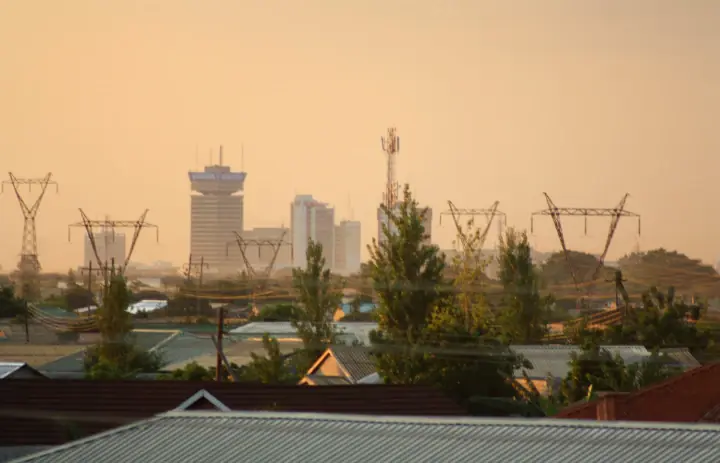
Ready to go.Lusaka, Zambia
Lusaka: send the arrival details that matter.
Landing at Kenneth Kaunda International Airport? Send your driver the airport name and flight number before takeoff. Keep the accommodation address and the agreed meeting point saved, so a delayed bag or a rerouted flight doesn't leave you scrolling for the conversation.
Lusaka is a practical staging point for the next leg. Pull up your domestic flight or road-transfer booking, confirm the departure point, and ask your host how to reach the final door. When meeting someone in town, use a precise entrance pin, since a business name alone may not locate the right door.
Grab maps and bulky booking attachments over Wi-Fi before heading out. Your travel data line handles app messages, but it doesn't come with a local phone number for standard calls or SMS.
Save before you goDriver meeting instructions, accommodation entrance and the next transport booking.
Livingstone: confirm which side of the river you're booked on.
Livingstone is the Zambian base for Victoria Falls and the Zambezi, with flights arriving at Harry Mwaanga Nkumbula International Airport. Before you set off, confirm whether your activity departs from the lodge, a town office or a different meeting point.
A trip billed as "Victoria Falls" can actually run from Zimbabwe. Check the operator's address, because this plan covers Zambia only and doesn't extend into Zimbabwe. Save any cross-border pickup instructions before you reach the border, and sort separate data if you need it on the far side.
River trips shift with water levels. Read the operator's latest joining instructions and confirm your return transfer, rather than trusting an old seasonal timetable you saved.
Save before you goActivity voucher, country and meeting point, plus the return pickup arrangement.
South Luangwa: settle the handoff at Mfuwe.
Mfuwe International Airport is the air gateway for South Luangwa. Send your flight details to the lodge and ask who's meeting you, where they'll wait and how you'll spot them. A lodge name plus a confirmed transfer beats a broad park map.
Before a road leg, ask the lodge for its current recommended access route. Don't treat an unfamiliar track a map app suggests as a workable shortcut. Download directions while you still have a connection and keep the driver's contact saved offline.
Nationwide coverage doesn't guarantee a signal during a game drive. Warn anyone expecting a message that you may drop offline; a bigger allowance won't fix a weak signal.
Save before you goLodge directions, transfer contact and onward flight confirmation.
Choose your Zambia plan
Compare data amounts and durations to find the plan that fits your trip.
 Choose a plan